It wasn’t long ago that HP impressed us with (what turned out to be) its final Spectre ultraportable convertible laptop, but here’s it’s successor, the re-branded HP OmniBook Ultra Flip 14. While it shares many similarities with its sibling, it represents more than a name change thanks to its updated Core Ultra (Series 2) ‘Lunar Lake’ processor and the new applications that affords and some other neat features from HP itself. With Asus’ Lunar Lake laptop sitting in top spot on our Best Laptop list, how will HP’s consumer flagship compare?
HP OmniBook Ultra Flip 14 Specs
| Screen | 14-inch, glossy, 120Hz, 2,880 x 1,800, OLED display |
| Processor | 2.2-4.8GHz Intel Core Ultra 7 258V CPU |
| Memory | 32GB DDR5 RAM |
| Graphics | 1.95GHz 8-core Intel Arc Graphics |
| Hard drive | 1TB |
| Connectivity | Wi-Fi 7 Bluetooth 5.4 1 x USB-C 3.2 Gen 1 1 x 3.5mm audio jack 2 x Thunderbolt 4 |
| Speakers | 4 (unspecified) |
| Extra Security | Windows Hello (webcam & fingerprint) |
| Webcam | 1,440p |
| Battery | 64Wh |
| Dimensions | 314 x 216 x 15mm |
| Weight | 1.32KG |
| SKU | 14- fh0006tu |
Features, Ergonomics and Design
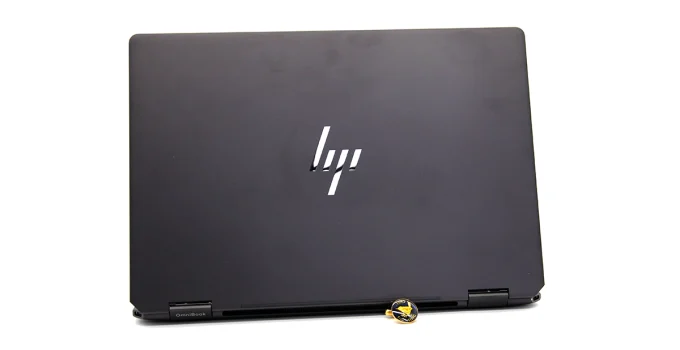
While we initially thought that the OmniBook Ultra Flip 14 was a Spectre with new innards, the Eclipse Grey chassis is actually marginally less wide and 2mm thinner (now 1.5cm) than its predecessor. It has a very robust and high quality feel to it and, once again, I had to remind myself that this is actually a premium consumer laptop rather than a business-grade machine. The matte grey colour looks very smart and the glossy, light-catching HP logo on the lid, adds a touch of class.
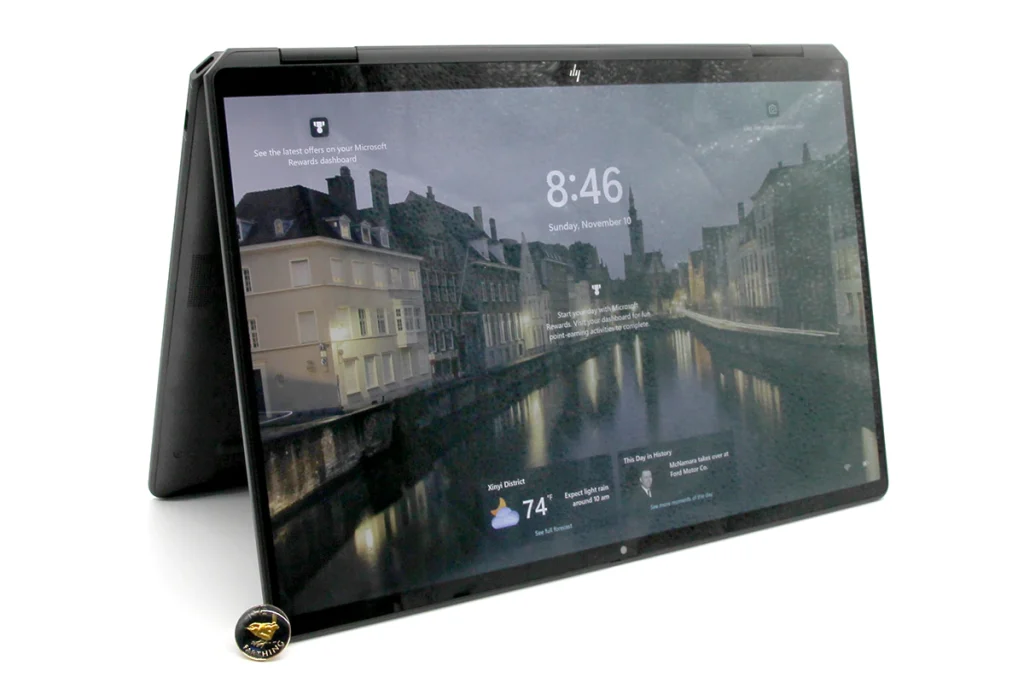
Opening it reminds you that the hinges are very high quality – as they need to be because the Flip monicker denotes this being a convertible tablet. It’s stylus-compatible but HP sells the pen separately. The 14-inch OLED screen is very touch-responsive and I had few issues making multi-touch gestures and typing directly upon it when in tablet mode.

Being an OLED, colours are vibrant and contrast is excellent. It’s also bright enough to be used outdoors, but reflections on the glossy screen become a problem when viewing dark content. The 2,880 x 1,800 resolution means the Windows Desktop is very sharp and clear on the 14-inch screen. HDR compatibility means that multimedia looks very impressive owing to details remaining visible in both shadowy and highlighted areas and bright lights (and fire) can really pop from the screen. However, some details could blow out in particularly bright content.

Another boon of HDR is that both colourful and monochromatic gradients are rendered smoothly and without stepping. Meanwhile, the screen’s refresh rate can switch between 60Hz for power saving or 120Hz for smoothness. The latter marries with a quick pixel response time to keep fast-moving objects relatively smooth and blur-free in games… something that Lunar Lake’s updated GPU technology has opened the door to for ultraportables, as we’ll see below.
Beneath the screen is a low-travel, touch-type keyboard that’s very comfortable and accurate to type upon for extended periods. More importantly, it doesn’t feel like some convertible keyboards – to wit, stiff on the fingers and harsh to type upon, just so it can feel ‘flat’ when in tablet mode. The up and down arrow keys are squished, but their position in the bottom right corner, doesn’t make them difficult to use.

The trackpad is slightly different to normal, as it’s a haptic feedback model with additional gesture recognition. The button actuation is minimal but it still feels accurate and works well. Note, though, that it’s hypersensitive and, occasionally, you might plant the cursor somewhere you don’t want it to be.
Above the screen is a very impressive 1,440p webcam. Not only does it do a great job of producing a very sharp image that does a very good job of fending-off grain in low light, it utilises HP’s industry leading ring-light app which superimposes a bright, configurable (size and colour temperature) ring-light on the screen to light yourself like an influencer. It’s excellent. It’s partnered by a microphone array which captures audio very well, even in noisy environments. If conferencing or streaming is important to you, this is one of the best.

The webcam also has an infra-red camera for Windows Hello facial recognition. It’s partnered by a fingerprint reader which does likewise.
HP doesn’t state the speakers’ specification but it doesn’t really matter. Despite the thinness of the chassis, the quad-array, which, according to HP, is augmented by DTS:X Ultra, Poly Studio and HP Audio Boost technologies, sounds amazing owing to its loud, well-rounded fidelity and punchy bass.
Related: Best Business Laptops for Work & School
Related: Best Gaming Laptops
Related: Best Portable Laptop
Being a Lunar Lake laptop, the Omnibook also properly supports Microsoft’s excellent CoPilot+ features. I won’t delve into them here, but you can learn about them, here.
It’s also worth mentioning HP’s built-in apps which extend beyond the common bloatware. HP’s Wolf Security features have been integrated into it and these have only been in HP’s business laptops before. HP’s Ai Companion is essentially an offline ChatGPT which will please those who don’t want their interactions recorded online or who require offline access.

There are some other, more-minor features which you can learn about, here.
Ultimately, it’s an excellent laptop to interact with.
Connectivity and Ports
One area of HP’s OmniBook Ultra Flip 14’s features that I’ve mixed feelings about is connectivity.
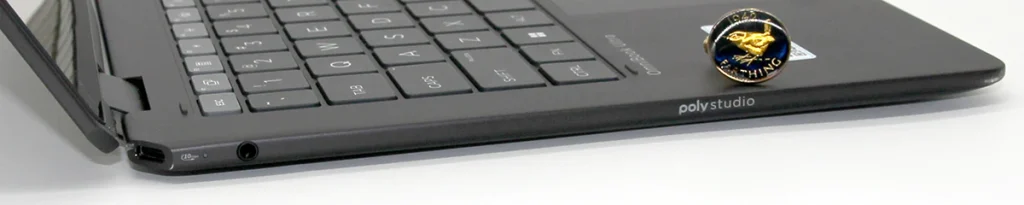
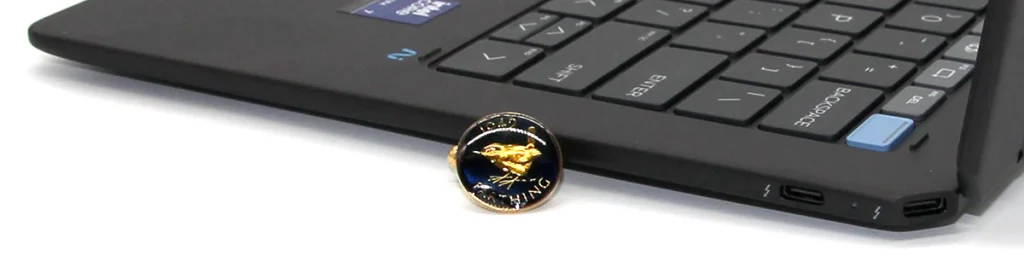
I’m still not at a point where excluding all USB-A ports is a good idea. Also, it’s worth remembering that the power supply connects via a USB-C adapter. Still, I totally approve of the Wi-Fi 7 and Bluetooth 5.4 wireless connectivity.
Features, Ergonomics and Design Score: 4.7 / 5
Performance
The HP OmniBook Ultra Flip 14 is the second laptop I’ve seen with the latest Lunar Lake processor. It’s an Intel Core Ultra 7 258V which has four Performance cores and eight Low-Power Efficient cores which operate between 2.2 and 4.8GHz. The architecture change means that HyperThreading is gone but responsiveness and power-efficiency have been heavily polished. There’s also an NPU and Intel’s latest, integrated Arc graphics chip which has eight Xe cores running at 1.95GHz.
When counted together, the CPU, NPU and GPU can achieve 115 TOPS which is enough Ai-related performance to operate Microsoft’s increasingly interesting CoPilot+ features.
There’s also 32GB of LPDDR5 RAM and a 1TB NVMe hard drive.
In the general-computing PCMark 10 test, the OmniBook Ultra Flip scored 6,920 which is impressive and above average in a world of laptops that includes massive gaming behemoths. (Score: 3.2 / 5)
A downside of the loss of HyperThreading is that rendering performance has taken a hit with Lunar Lake. In the quick, Cinebench R15 test, the OmniBook scored 1,673 while in the longer R23 test, it scored 10,322. It’s certainly capable of occasional rendering tasks but there are better options if this is a regular practice. (Score: 1.8 / 5)
I’ve been impressed with the performance of the improved, integrated graphics afforded to ultraportables by Lunar Lake (which I must get used to calling Intel Core Ultra (Series2) but, y’know…). It’s not a total gaming machine just yet but the numbers have improved to run games that weren’t possible before.
That said, in the difficult 3DMark ray-tracing tests, which mimic the most eye-candy rich, performance-demanding games, the OmniBook Flip scored 2,045 (average 9.5fps) in Port Royal and 942 (average 9.4fps) in Speed Way. These aren’t playable scores and you’ll need to dramatically drop details and resolutions to have any hope of playing the most-demanding titles. Still, previous portable processors wouldn’t even run these tests.
In the AAA-title mimicking Time Spy and Fire Strike Extreme benchmarks, the Omnibook scored 4,402 (average 13.3fps) and 4,148 (average 19fps) respectively. These offer a little more hope of playability, but they’ll still need some judicious fiddling with settings to work.
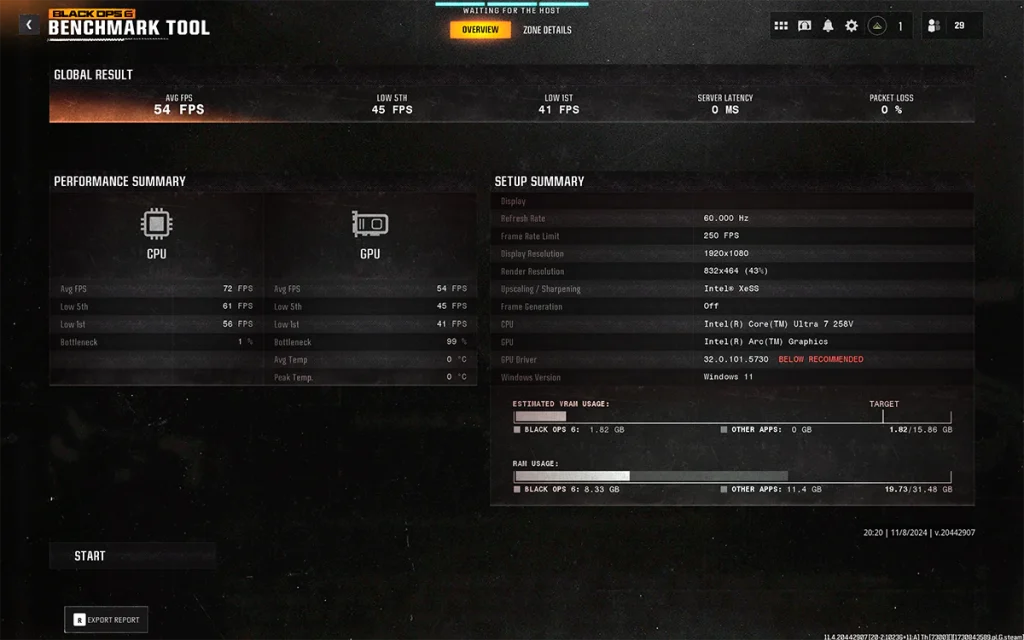
I also ran the new Call of Duty: Black Ops 6 graphics benchmark. At default settings, it averaged 39fps with the slowest one per cent of frames (1% Low score) running at 29fps. That’s just about playable but a bit stuttery. Adjusting the settings to Full HD and lowest graphics quality to suit online competition, the OmniBook averaged 54fps with a 1% Low of 41fps. That’s a playable framerate.
In the lesser, 3DMark Night Raid, which apes casual and competitive shooters (like Fortnite), HP’s OmniBook managed 35,620 which is an average of 222.1 frames per second. So, no problems there.
I ran other benchmarks which will be folded into our reviews in 2025, but for now, here they are for reference:
UL Procyon Microsoft Office: 6,822
UL Procyon Microsoft Office Multi-platform: 252,000
UL Procyon Adobe Photoshop: 5,640
UL Procyon Adobe Premiere: 9,003
UL Procyon Ai Vision (CPU): 61
UL Procyon Ai Vision (GPU): 75
3DMark Steel Nomad: 883
3DMark Steel Nomad Lite: 3,270
3DMark Solar Bay: 15,214
Cooling
I was very impressed that the OmniBook never seemed to get loud or hot, even when under load. There may however be a little thermal throttling at play here as evidenced by the 30-minute Cinebench R23 score dropping by 3.5 per cent. However, this is not an issue that affected any noticeable day-to-day performance. All in all, it’s impressively quiet.
3D Performance Score: 1.9 / 5
Portability and Battery Life
HP’s OmniBook Ultra Flip 14 weighs 1.32KG with the 64-Watt power supply and cables adding another 311g. You won’t need to carry the latter around much, either, as it ran our PCMark 10 Modern Office battery benchmark for an excellent 19 hours and 16 minutes. Update: It also ran our UL Procyon Microsoft Office Test for an impressive 17 hours and 35 minutes.

Meanwhile, the hinge and chassis are strong and stiff enough to easily survive life on the road.
This is all enough to put the OmniBook in the Top 5 of our most portable laptops group test, when we next update it.
Portability and Battery Life Score: 4.1 / 5
Price, Availability and Value
You can buy this version of the HP OmniBook Ultra Flip 14 right now for $3,699 from HP’s own online store. There are also cheaper variants with lesser processors and less RAM for a few hundred dollars less. You can also still buy its predecessor, the HP Spectre X360 2-in-1 for around the same price.
Value Score: 4.1 / 5
Overall
HP’s OmniBook Ultra Flip 14 is in a highly competitive space where minor differences in price can make a large difference in our rankings. It’s very similar to our current Number 1, Asus’ ZenBook S 14, which costs slightly less, comes with a stylus and has even longer battery life. However, a sale price could more-than level the playing field very quickly. It’s also well worth noting that HP’s software, especially the ring-light app, integrated, business-class Wolf Security and Ai Companion, are worthy features that could well prove more-tempting to many buyers. So, while it didn’t quite hit Number 1, it’s a very worthy winner of our Highly Recommended Portable Laptop Award.
Overall: 4.5 / 5
Last Updated on 26 April 2025 by Nick Ross