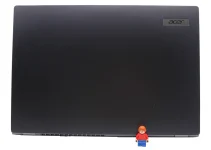
Google has opened pre-orders for Googlebook, a new line of laptops built on the Android technology stack and paired with desktop foundations from ChromeOS. The devices are manufactured by five hardware partners and start at $899.
Googlebook represents Google’s attempt to rethink the laptop category more than 15 years after it introduced the Chromebook. Where Chromebooks were designed for a cloud-first world, Googlebook is built around Google’s Gemini AI platform and engineered to integrate closely with Android phones.
The devices are being made by Acer, Asus, Dell, HP and Lenovo, with each manufacturer offering a distinct model. Pre-orders are open through the Google Store and other retailers, with devices scheduled to arrive on shelves on October 4 in the United States and October 5 in Canada, the United Kingdom, Ireland, France, Germany and Australia.
Five models, one platform
Each of the five launch models targets a different use case.
The Acer model is the only convertible in the lineup, shifting between laptop and tablet modes. The Asus variant weighs 2.2 pounds, positioning it as a lightweight portable option. Dell’s model is described as balancing height, weight and display proportions, while HP’s entry focuses on industrial design. Lenovo rounds out the range with a 15-inch display oriented toward productivity workloads.
All five are built from aluminium, magnesium alloy and carbon fibre. They feature touchscreens with up to 2.8K OLED resolution, haptic glass trackpads with native OS gesture support, backlit keyboards and up to six speakers with Dolby Atmos. Microphones include background noise cancellation.
Under the hood, the devices run Intel Core Ultra Series 3 or Snapdragon X Elite processors, paired with dedicated NPUs capable of more than 45 TOPS of on-device AI processing. Google also worked with MediaTek on the platform. Every model ships with a baseline of 16GB of RAM, with some configurations offering up to 32GB. Battery life is rated at up to 14 hours of video playback and 16 hours of web browsing.
The Glowbar returns
A feature carried over from earlier Google hardware, the Glowbar is an LED strip positioned on the laptop’s exterior. It animates at startup, displays battery charge levels and reacts when users interact with Gemini. Google is also opening Glowbar access to developers to build custom animations.
Phone integration at the core
A central part of Google’s pitch for Googlebook is its relationship with Android phones. When a user signs in, settings, saved passwords, Wi-Fi networks and messages transfer from their phone, with end-to-end encryption.
Three features underpin the ongoing phone-laptop connection. Continue On allows users to resume tasks started on their phone directly on the laptop via the taskbar. The Files app provides access to files and photos stored on the phone without needing to transfer them. Cast My Apps streams phone apps into a desktop window, allowing users to interact with mobile-only applications such as food delivery services or messaging apps without picking up their handset.
Related: Best Business Laptops for Work & School
Related: Best Gaming Laptops
Related: Best Portable Laptop
Gemini-powered features
Googlebook introduces several features that rely on Google’s Gemini AI models.
Magic Pointer, developed with the Google DeepMind team, is activated by wiggling the cursor. It brings up contextual Gemini suggestions based on whatever is on screen. Users can highlight a training plan on a webpage and have it automatically mapped into Google Calendar, hover over a suspicious email to have Gemini analyse it for signs of phishing or select multiple images and ask Gemini to composite them together. The feature only activates when summoned and can be switched off.
Rambler is a voice dictation tool positioned next to a dedicated Quick Insert key. Rather than transcribing speech verbatim, it processes spoken input and organises it into structured text with headers, checklists and formatted takeaways. It supports multiple languages within a single session.
Create My Widget lets users describe a widget in plain language and have Gemini generate it. Widgets can pull from Google services such as Gmail and Calendar, or from the web, to display information such as sports scores or travel countdowns on the desktop.
A background processing feature called Gemini Spark can continue working on tasks after the laptop lid is closed.
Software ecosystem
Googlebook runs the desktop-class Chrome browser with extension support alongside access to the Google Play Store. Google says many Android apps have been optimised for larger screens and mouse and keyboard input.
Native applications available at launch include Adobe Photoshop, Adobe Lightroom and CapCut. Streaming platforms such as Netflix and HBO Max are supported with offline viewing. A complimentary 12-month subscription to GeForce NOW is included with every purchase, giving users access to PC game titles they already own.
For developers, Googlebook ships with Antigravity, Google’s AI agent development platform, which allows users to build, test and deploy applications on the device. A full Linux terminal environment is included, supporting tools such as Claude Code and the Antigravity CLI.
Security architecture
The security model is based on ChromeOS, anchored by Google’s Titan hardware root of trust, defence-in-depth architecture and on-device malware detection.
Google says the device is the first laptop to feature a Level 5 security-certified pKVM hypervisor, which powers an isolated Linux environment with full terminal access. This is intended to let developers run Linux tools, pull code repositories and execute autonomous agents in a sandboxed environment.
Bundled subscriptions and update commitment
Every Googlebook includes 12 months of Google AI Pro, which provides 5TB of cloud storage and higher usage limits in Gemini. Buyers also receive three months of YouTube Premium and Adobe Photoshop access. Google has committed to providing software updates and feature drops for up to 10 years.
A gap in Google’s own toolset
While the hardware and software proposition is broad, one notable gap has drawn attention from the digital advertising industry. Performance marketing professional, Gareth Duddington, pointed out on LinkedIn that Googlebook cannot run Google Ads Editor, a desktop application used by agencies and advertisers to manage large advertising accounts, make bulk changes and handle complex campaign structures.
“Google Ads is one of Alphabet’s biggest revenue engines. Google Ads Editor is an essential tool for many agencies and advertisers managing large accounts, bulk changes and complex campaign structures,” Duddington wrote. “Yet Google’s own new laptop platform does not support it.”
He noted that both Windows and macOS support Google Ads Editor, meaning that at launch, competing laptops offer functionality for Google’s own advertising tools that Googlebook does not.
“If Google wants Googlebook to compete as a serious professional laptop platform, it cannot simply offer excellent hardware, Android apps and a great browser experience,” Duddington continued. “It needs to support the professional tools people actually use. Especially when those tools belong to Google.”
The observation highlights a broader question about whether the Android-based software stack can support the full range of desktop-class professional applications that users of Windows and macOS laptops rely on.
Last Updated on 23 September 2026 by Nick Ross