Asus ROG Flow Z13 (2025) Scores
- Features, Ergonomics & Design
- General Computing & CPU Performance
- Graphics & Gaming Performance
- Portability & Battery Life
- Value For Money
Summary
The 2025 version of Asus’ ROG Flow Z13 is a unique gaming tablet that’s also a laptop. It’s expensive, but there’s nothing else like it on the market.
I first thought the ROG Flow z13 was one of Asus’ infamous experiments – like the Eee PC and its Bamboo laptops – but it’s been around for a few generations now and so people must like it. The easiest way to describe it is, it’s like a souped-up Microsoft Surface tablet, replete with folding fabric keyboard lid. The latest model is particularly interesting because it’s entirely powered by a variant of the AMD Strix Halo processor that we recently saw in the ultraportable HP ZBook Ultra G1a 14 powerhouse. Hopefully, it can help the Asus ROG Flow Z13 impress us to a similar degree.
Asus ROG Flow Z13 Specs
| Screen | 13.4-inch, semi-gloss, 180Hz, 2,560 x 1,600, IPS, 500-nit, touchscreen display |
| Processor | 3-5.1GHz AMD Ryzen Al Max+ 395 CPU |
| Memory | 32GB LPDDR5 RAM |
| Graphics | 2.9GHz Radeon 8060S Integrated Graphics |
| Hard drive | 1TB |
| Connectivity | Wi-Fi 7 Bluetooth 5.4 1 x USB-A 3.2 Gen 2 2 x USB-C 4 1 x HDMI 2.1 1 x 3.5mm audio jack 1 x microSD card reader |
| Speakers | 2 x 2-Watt |
| Extra Security | Windows Hello (webcam) |
| Webcam | 1,440p |
| Battery | 70Wh |
| Dimensions | 300 x 204 x 15mm |
| Weight | 1.64KG |
| SKU | GZ302EA-RU004W |
Features, Ergonomics and Design
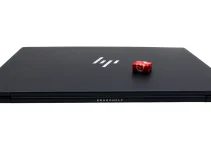
Asus’ ROG Flow Z13 looks like a chunky tablet but with aggressive, gamer-friendly lines, fins and vents, plus an RGB-illuminated window onto the circuitry at the back. The rubberised flip cover is very solid with minimal flex and, as with the Microsoft Surface, it has strong magnets to secure it to the bottom and also to keep it closed when required.

Opening it up reveals the glossy, 13.4-inch, IPS touchscreen. It has a 2,560 x 1,600 resolution which means you can easily see two office-documents at the same time and enjoy very-high-resolution multimedia. But, if your eyesight ain’t great, you’ll need to up the magnification settings which doesn’t leave much space on a sub-14-inch screen. Despite the glossy coating, there’s an impressive lack of reflections (when not outdoors or in a brightly back-lit environment). It’s hard to see yourself clearly on an all-black display.

Colours are vibrant and contrast is generally good in that you can see details in shadows (thanks to the screen getting very bright) but details can blow-out a little too easily in highlights. Colour gradients exhibit some light stepping but I’ve seen much worse. Monochromatic transitions can get rather noisy and blocky, though.
Asus points out that it’s a ‘ROG Nebula display’ but, as we’ve found in the past, these haven’t been overly impressive. They’re very different to Asus’ ‘ROG Nebula HDR displays’ which are among the best in the business.

The screen also features a quick, 180Hz refresh rate. This, along with a quick pixel-response time, does a decent job of keeping fast-moving object blur free. Only competitive FPS players would really grumble.
The two, 2-Watt speakers get loud but they are rather tinny and there’s next-to-no bass. Ultraportable laptops (including those from Asus) usually do very well in such regards, so this was disappointing.

Below the screen, the keyboard looks good with its thin base and RGB Scrabble-tile keys. Despite the thinness, there’s no real-sagging effect and typing (and gaming) is comfortable and accurate when used for extended periods. The squished arrow keys can be a little fiddly, but they’re well isolated and I had few issues instinctively reaching for them. The subtle incline that it affords is also a comfort boon. The trackpad is also smooth and accurate but the button actuations are a little heavy and loud. It still feels high quality, though.
Related: Best Business Laptops for Work & School
Related: Best Gaming Laptops
Related: Best Portable Laptop

Above the screen is a 1,440p webcam that provides a sharp image and does a good job of fending-off grain in low light. The supporting microphone array, however, does an extraordinary job of capturing crisp and clear audio in the noisiest of environments. Amazing!
Connectivity and Ports


Inside there’s Wi-Fi 7 and Bluetooth 5.4. That’s an very good connectivity complement.

Ultimately, while I always prefer using a laptop – especially because it actually, comfortably fits on your lap – the ROG Flow Z13’s party trick of being instantly transformable into a tablet (by ripping the keyboard off) is a feature that is popular with many people: especially those who want to retire to a room to watch multimedia on a screen that’s larger than their phone. If this is the form factor you’ve been looking for (and the Surface is too expensive and low-powered) then this may be all you need to know to justify buying one. Otherwise a traditional (or convertible) laptop is better at doing laptop things.
Features, Ergonomics and Design Score: 3.9 / 5
Performance
Whereas the 2022 version of the ROG Flow Z13 had discrete graphics, the 2025 variant uses the integrated Radeon GPU on the AMD Ryzen Al Max+ 395 processor. This is another AMD Strix Halo processor which was announced at CES earlier this year. The Z13 was simultaneously announced as the poster child for the new chip. It’s supposed to be transformative by offering discrete-graphics-levels of performance on an integrated GPU and, when we first saw a variant of it on the HP ZBook Ultra G1a 14 professional workstation, we were very impressed.

There’s no doubt that AMD has been producing some amazing silicon lately, but it’s product naming schemes are horrendous with all the combinations of Max, Pro and Plus signs (Intel’s and ARM’s aren’t much better, for that matter). It’s become much easier to use the code names for products. I’m not going to do a deep-dive into all the architectures and fabrication topologies that have gone into it here (like the 3D configuration of 16X Zen 5 chiplets) – I prefer to focus on what it can actually do, instead of how it’s made – but here’s what’s most important: the processor has 16 cores which operate between 3 to 5.1GHz across 32 threads. There’s no dedicated NPU but both the CPU and GPU should provide plenty of Ai grunt.
The GPU’s specs certainly sound impressive for an integrated unit. The Radeon 8060S graphics have 40 cores that operate at 2.9GHz. Our review unit also came with 32GB of LPDDR5 memory and a 1TB, Gen 4 NVMe hard drive. So, how does it fare?

As usual, you can read how we test laptops, here. Also note that, alongside the raw benchmark scores, we publish a mathematically derived Star Rating where 1 is the least-good score that we’ve seen and 5 is the best. It’s worth noting that, since the MSI Raider A18 HX A9W (replete with its AMD Ryzen 9 CPU) came in and destroyed the joint, in all of our benchmarks, we’ve reinstated the UL Procyon Office and Video Editing benchmarks to our overall scores. Microsoft and Adobe had deprecated some features which made the tests artificially slower (and incomparable to rivals) earlier this year.
General Computing & CPU Tests
Our first group of benchmarks focus on the main processor and whole system in general.
| Benchmark | Score | Star Rating |
| PCMark 10 | 8,371 | 4.2 / 5 |
| UL Procyon Image Editing (Adobe Photoshop & Lightroom Classic) | 8,274 | 3.8 / 5 |
| UL Procyon Office Productivity (Microsoft Office) | TBC | TBC |
| UL Procyon Office Productivity Multiplatform (Microsoft Office) | 260,000 | 4.1 |
| Cinebench R15 (CPU Rendering) | 5,004 | 4.3 / 5 |
| Cinebench R23 (CPU Rendering) | 26,575 | 3.5 / 5 |
| UL Procyon Ai Vision (Windows, CPU, Float32) | 180 | 4.4 / 5 |
| General Computing & CPU Score | – | 4.2 / 5 |
I also ran other popular benchmarks which will likely fold into our formal review process next year. For now, for reference, in Geekbench 6 the 2025 ROG Flow Z13 scored 2,805 for single-thread CPU performance and 17,440 in multi-thread. In Cinebench R24 it scored 1,535.
HP’s ZBook wowed us with the performance that Strix Halo could offer on an ultraportable, but these scores are (mostly) even faster. That’s likely not just because of the slightly superior silicon, but because of ROG’s Armory Crate app’s Turbo mode which automatically overclocks the chip and boosts the cooling.
Either way, for general computing tasks, the 2025 ROG Flow Z13 is the fastest ‘ultraportable’ laptop that we’ve ever seen.
General Computing & CPU Score: 4.2 / 5

Graphics & Gaming Performance
To start establishing the 2025 ROG Flow Z13’s gaming credentials, I started by running the following 3DMark gaming tests. The results were as follows…
| 3DMark Benchmark | Resolution | Score | Average Framerate | Star Rating |
| Speed Way (Ray-tracing) | 1,440p | 958 | 10fps | 1.5 / 5 |
| Port Royal (Ray-tracing) | 1,440p | 3,050 | 14fps | 1.6 / 5 |
| Steel Nomad | 4K | 1,788 | 18fps | 2.1 / 5 |
| Steel Nomad Light | 1,440p | 9,706 | 72fps | 2.3 / 5 |
| Solar Bay (Ray-tracing) | 1,440p | 44,011 | 167fps | 2.3 / 5 |
| Time Spy | 1,440p | 10,386 | 63fps | 2.7 / 5 |
| Fire Strike Extreme | 1,440p | 12,024 | 57fps | 2.4 / 5 |
| Wild Life Extreme | 4K | 19,292 | 116fps | 2.5 / 5 |
| Night Raid | Full HD | 57,333 | 493fps | 5 / 5 |
| Graphics & Gaming Performance Score | – | – | – | 2.3 / 5 |
I also ran the new Solar Bay Extreme test which adds even-more demanding ray-tracing (and other challenging graphical) features to the benchmark. The Raider scored 6,246 which is an average of 44fps.
All this means that the 2025 Flow Z13 can comfortably play most games at a 1,440p resolution although you’ll need to dial-down detail settings (and adjust ray-tracing) in the more-eye-candy-rich titles.
The built-in benchmark of Call of Duty: Black Ops 6 is also worth running. At default settings (native resolution displayed, 66% rendered resolution and Ai frame generation turned off), the ROG Flow Z13 averaged 67fps with the lowest one per cent of frames (1% Low Score) hitting 52fps. That leads to generally smooth, good-looking gameplay. At more-competitive Minimum Settings and a Full HD resolution (66% rendered), the Z13 averaged 134fps with a 1% Low of 108fps with frame generation off. With it turned on, it averaged 231fps with a 1% Low of 111fps. So, you can play competitive CoD on the 2025 Z13 with no issues.
I also run the GPU version of UL’s Procyon Ai computer Vision test and the Z13 scored 598 (Score: 3.1 / 5). I still don’t know what this number means, but it’s higher than average which is, again, impressive, for a laptop using an integrated GPU.
The UL Procyon Video Editing test, which uses Adobe Premiere, is a particular favourite and the 2025 Z13 posted 21,554 (Score: 2.2 / 5). That means the most-difficult rendering test (UHD, H.265, 60fps) for a 900MB video file, took 113 seconds. HP’s 5070-sporting Omen 16 took 67 seconds. As such, you can certainly do occasional rendering here, but you wouldn’t want to rely on it for daily work.
Ultimately, while Asus’ 2025 ROG Flow Z13 isn’t a typical gaming laptop, it’s easily the best gaming tablet-cum-laptop on the market. I’m not convinced it’s a large market, but Asus owns it.
Graphics & Gaming Performance Score: 2.3 / 5

Cooling
Asus significantly beefed-up the cooling technology within the ROG Flow Z13 last year. It features a larger, redesigned vapour chamber that’s built from lightweight stainless steel and copper. A dust filter help keeps hair and debris out of the machine. It uses Thermal Grizzly’s liquid metal thermal compound for better heat transfer and a pair of ‘2nd Gen Arc Flow’ fans that have been copied from jet engines.
Ultimately, as with all thin-and-powerful laptops, it can still get warm, but this is less of an issue when the base isn’t on your lap. For the most part, it’s also very quiet with fans only ramping up to a low, robust whoosh when under sustained, heavy load.
When I ran the 30-minute version of Cinebench R23, the score dropped by less-than one per cent. So, there’s no significant thermal throttling present.
Portability & Battery Life
The 2025 ROG Flow Z13 might only be 15mm thick but it’s dense and still weighs 1.64KG. That’s still ultraportable, but it’s far from being the lightest ‘laptop’ around. It’s certainly heavy for a tablet. It’s also worth noting that the the Z13’s demand for power demands a hefty power brick and this (plus cables) adds an additional 575g to the mix.

You’ll likely need to carry them around, too. The 70Wh battery managed to run the PCMark 10 Modern Office test for 12 hours 5 minutes. That’s quite low for a modern ultraportable, but it’s still (potentially) more than a day out of the office.
It’s worth highlighting that build quality is very impressive. While it’s not been torture tested like a business laptop, the CNC-milled aluminium chassis feels very solid and robust. The thick keyboard cover (and its strong magnets) should protect the screen which itself is made from Corning Gorilla Glass 5. It’s not a rugged tablet, but it’s tougher than many.
That all said, as ultraportables go, it’s not the most portable.
Portability & Battery Life Score: 2.8 / 5
Price, Value & Availability
The 2025 Asus ROG Flow Z13 is available now for a hefty, $4,499. That’s certainly not cheap and you can buy plenty of more-powerful gaming laptops for less. However, none of them have a bespoke form factor like this.
Value Score: 3 / 5
Conclusion: Should You Buy the 2025 Asus ROG Flow Z13?
We love that Asus keeps making new and innovative computers. The 2025 ROG NUC is another such example (my review will appear in the next issue of APC magazine). However, it seems that innovation and high-performing niche products come at a hefty premium and the Z13 is no exception. That said, it does what it does very well and there’s no other product like it. So, if you want a genuine gaming tablet that’s also a laptop, this is the model to buy.
Overall Score: 3.8 / 5
Last Updated on 18 November 2025 by Nick Ross